Automate Sensitive, Repetitive Work at Scale on the Microsoft Stack You Already Have
A secure, AI-powered Power Automate workflow, built entirely inside Microsoft 365, that removes hours of repetitive work from client-facing teams without asking anyone to learn a new tool.
The problem
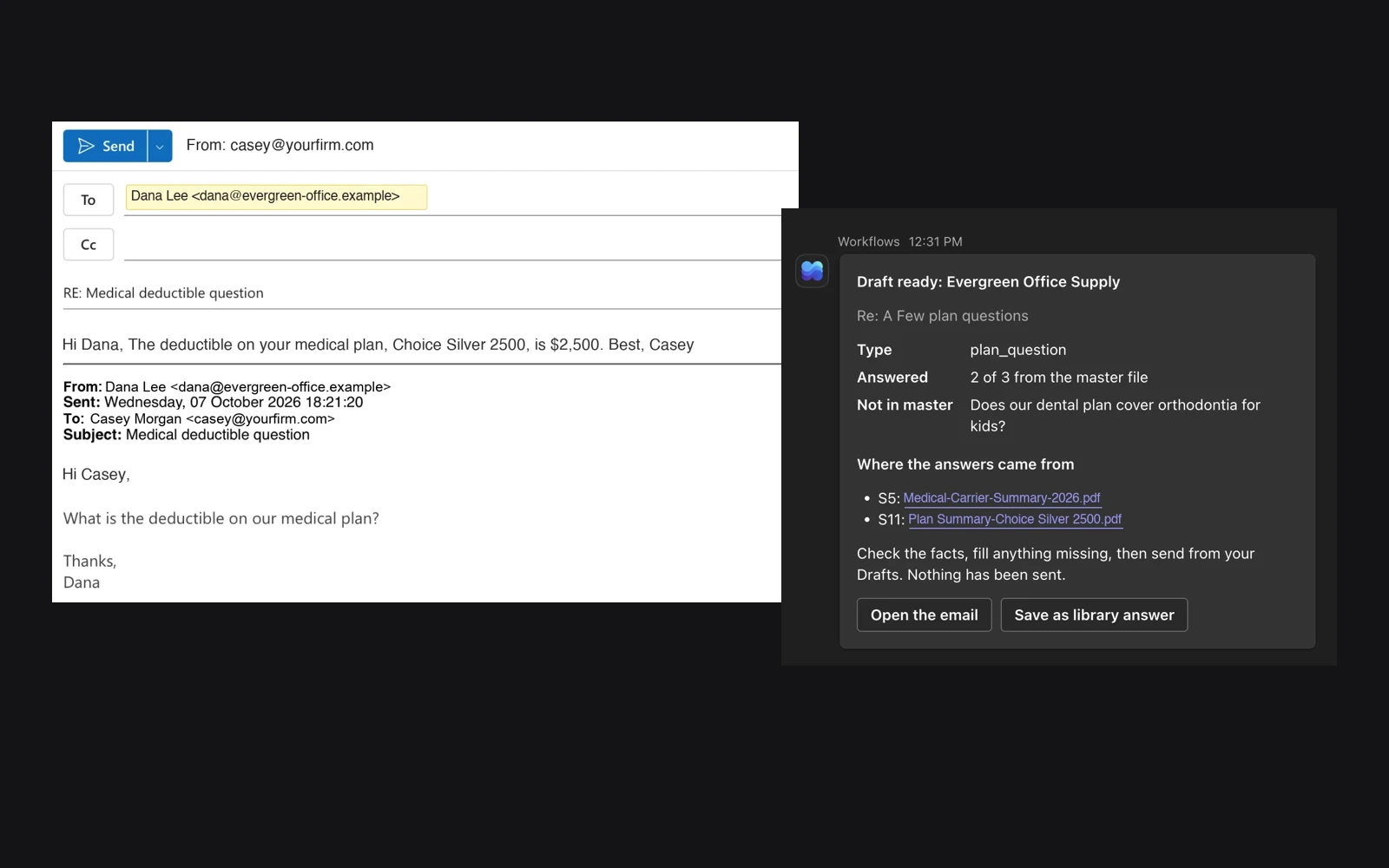
Client-facing teams answer the same kinds of questions all day: what does our plan cover, what do we pay, can you resend that document. The answer is already in the client's files. Finding the current version, checking it and writing the reply takes fifteen minutes or more, dozens of times a day.
It is ideal work for AI, except for two risks: a wrong answer to a client, and one client's data showing up in another client's email. The goal was to remove the repetitive work while making both risks structurally impossible, all within the compliance boundary the company already trusts.
The solution
A Power Automate workflow that does three things the moment a client email arrives: classifies it, looks up the relevant information in that specific client's records, and, for emails that fit the criteria, writes a first draft of the reply. The lookup is the boring part, and that is exactly the part AI automates.
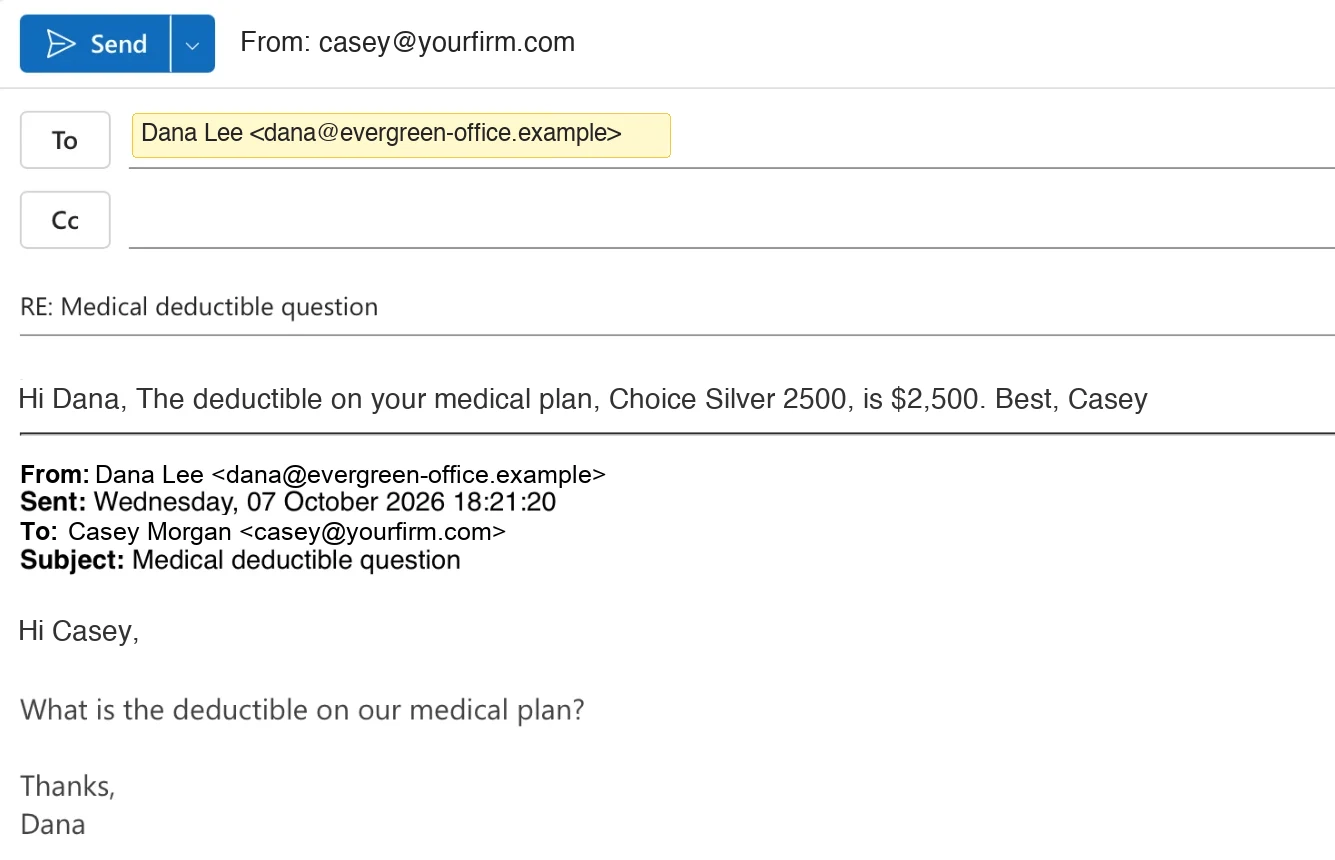
- Answerable from client data (plan and service questions, costs, document requests, renewal dates): a reply draft appears in the thread, written only from that client's records, with a source behind every fact.
- Needs a person (account changes, claims, billing disputes, personal details, questions about another company, an unhappy client): the AI writes nothing. A pre-approved acknowledgment is prepared and the right person is alerted.
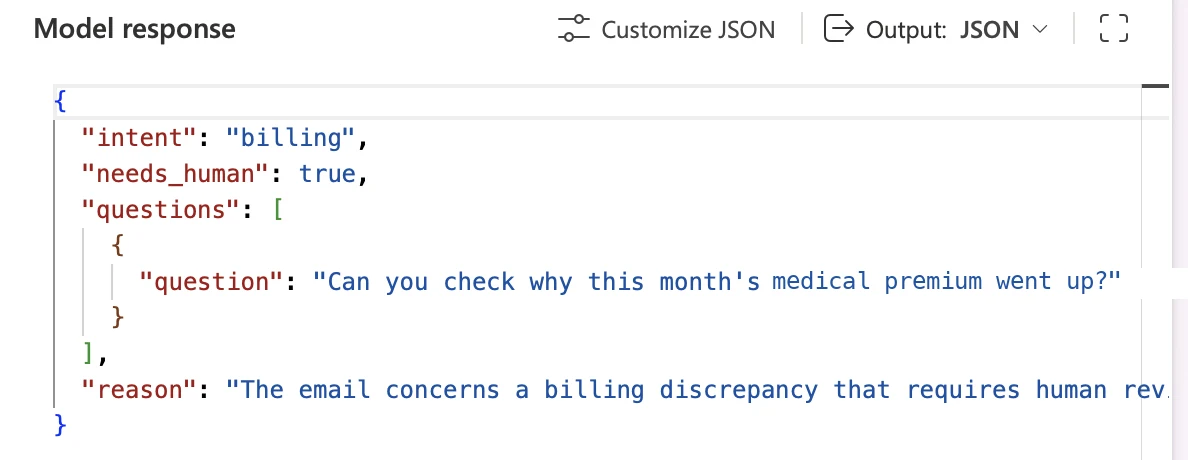
Both risks are handled by design. Answers come only from the right client's records, and nothing reaches a client until a person approves it.
A person always clicks Send
The workflow never sends anything. The account owner reads the draft in the thread and clicks Send as themselves, so they are responsible for every word the client sees.
That also keeps the relationship human. The person adds the personal touch only they can add: the congratulations on a new office, the follow-up on last week's call. What they no longer do is dig through folders to find which document answers which question.
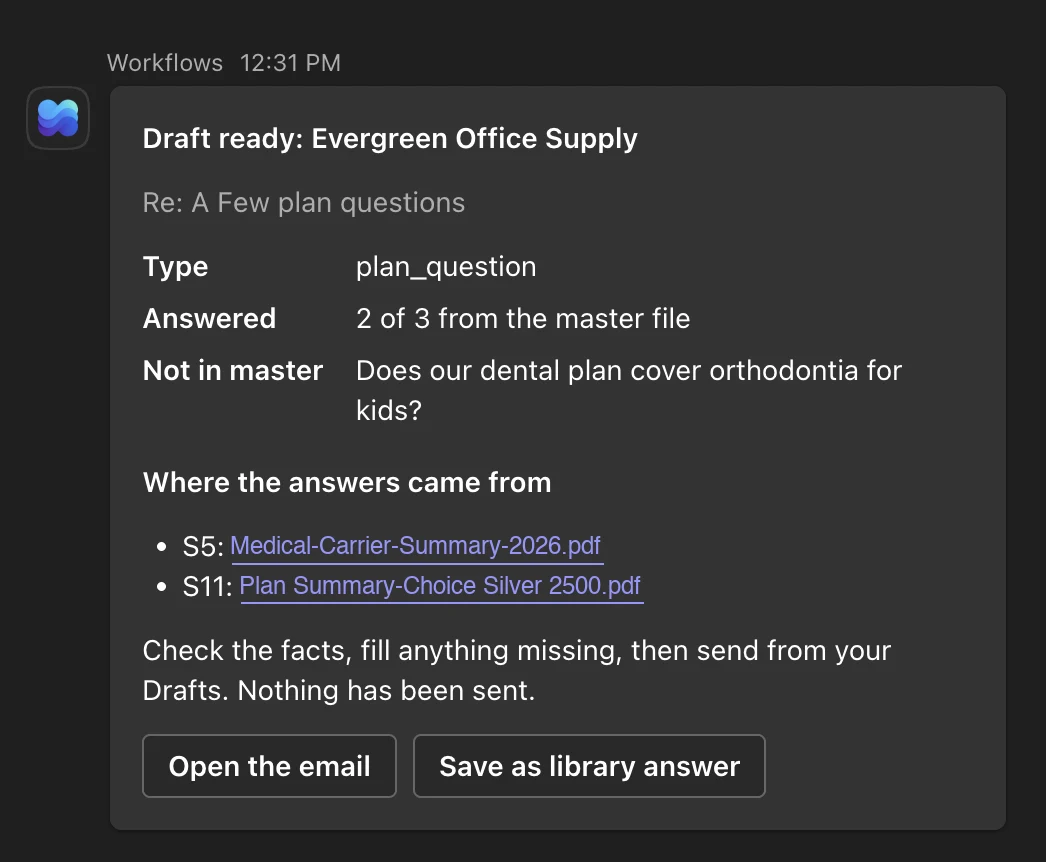
Alongside the draft, a Teams card links to the actual source documents behind each fact. The reviewer can verify any number in one click and, when it helps, attach or link the real document in the reply, so the client gets the answer and the paperwork in one email.
The architecture
- One tenant, one agreement. Outlook, SharePoint, Power Automate, Copilot Studio and Teams, all services the company already licenses, secures and covers under Microsoft's Business Associate Agreement (BAA). No outside servers or new vendors.
- Row-level security. Deterministic rules, not the AI, identify which client sent the email. If the sender does not match exactly one client, nothing is drafted. The AI only ever receives that one client's data, so it cannot leak what it was never given.
- A governed knowledge layer. The AI never searches the client file shares. It reads a curated, indexed SharePoint library holding one clean, always-current record per client, writable only by a service account, with a permanent link back to each source document.
- Citations built by the system. Source links are attached by the automation, not written by the model, so a reviewer can verify any fact in one click.
Secure by design
- Web search is off and admin-locked, so the AI never reaches outside the compliance boundary.
- Sending is blocked twice: the automation can only create drafts, and a data loss prevention policy blocks automated sending outright.
- Email content stays out of logs. Run history and the audit log record outcomes only: which client, drafted or routed to a person, how many questions answered.
- Failures are never silent. If anything goes wrong, the right person is told to answer by hand.
- Pressure-tested before real data. Over a hundred synthetic emails, including look-alike client names, requests for another client's data, forged senders and prompt-injection attempts. Result: zero wrong-client drafts and zero leaks.
Built for non-technical users
There is nothing to learn. No prompts, no new app, no change to how the team works. Email arrives in Outlook, a draft is waiting in the same thread, and a card arrives in Teams.
The card lists what was answered, what the records could not answer, and the source document for each fact. When the records do not have the answer, the draft says so instead of guessing. One button lets the team save a strong reply for reuse, so the people closest to the work improve the drafts without ever touching the workflow.
The payoff
At 10 routine emails a day and 15 minutes saved on each, one person gets back 600 hours a year: 15 working weeks. The software to do it costs a fraction of the labor it frees.
| Employees | Hours freed per year | Value of that time | Licenses + AI | Net per year |
|---|---|---|---|---|
| 10 | 1,800 | $55,368 | $590 | $54,778 |
| 50 | 9,000 | $276,840 | $2,232 | $274,608 |
| 100 | 18,000 | $553,679 | $2,484 | $551,195 |
| 500 | 90,000 | $2,768,396 | $4,500 | $2,763,896 |
| 1,000 | 180,000 | $5,536,792 | $7,020 | $5,529,772 |
| 5,000 | 900,000 | $27,683,959 | $28,980 | $27,654,979 |
Assumes 30% of employees answer client email. Time valued at a customer service representative's median wage ($21.53/hr, BLS) loaded for benefits to $30.76/hr (BLS ECEC). Software is the cheaper of Power Automate Premium per user or Process per flow at list price, plus Copilot Credits.
Freed hours are capacity, not headcount cuts. The same people spend them on the work only they can do: the proactive check-in, the renewal reviewed early, the phone call instead of the form letter.
Have a team answering the same questions from the same files every day? We will scope a governed AI workflow inside your own Microsoft 365, prove it on synthetic data first, and give your people their hours back. Senior talent. AI-native delivery.